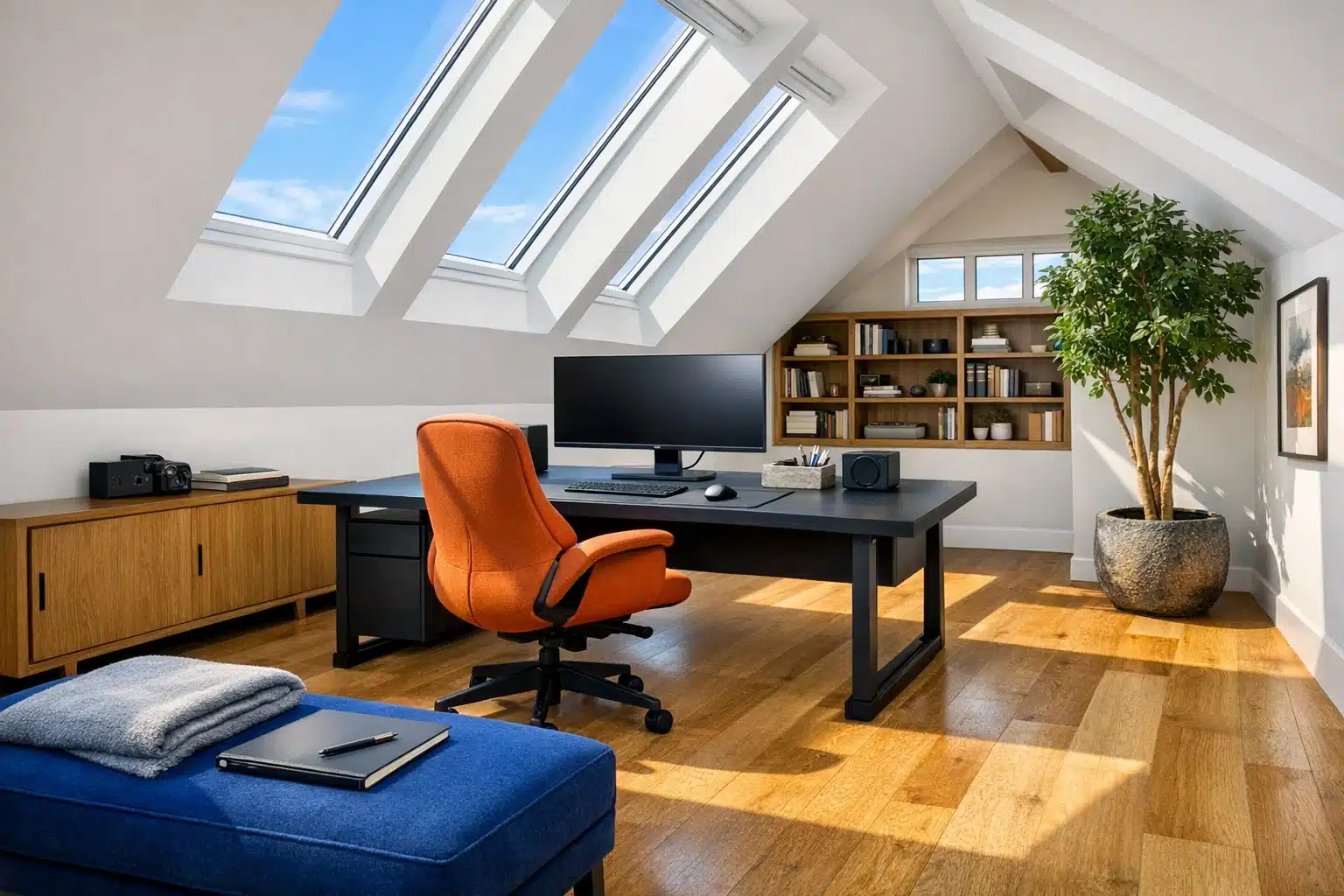
Home Office Ideas: A Workspace Setup Guide for Productive Design
Working from home sounds simple until the kitchen table starts doubling as a desk, filing cabinet, and lunch spot. A well-designed home office gives your day structure, protects your focus, and makes long hours feel more manageable. It also helps reduce physical strain by matching furniture, lighting, and equipment to the way you actually work. This guide explores practical home office ideas, step-by-step setup choices, and design details that turn spare corners into productive spaces.
Outline: this article covers five key parts of a strong home office plan. First, it explains how to choose the best location and layout for your work style. Second, it looks at furniture and ergonomic decisions that support comfort over long sessions. Third, it walks through technology, cables, and workflow tools that make daily tasks smoother. Fourth, it focuses on productive workspace design through lighting, sound, storage, and visual balance. Fifth, it brings everything together with routines, personalization, and a practical conclusion for people who want a workspace that feels useful every day.
Choose the Right Location and Layout Before You Buy Anything
The most effective home office ideas usually begin with a decision that costs nothing: choosing the right spot. People often start with shopping, but layout has a bigger impact on productivity than buying one more accessory. A spacious desk means little if it sits in the noisiest part of the house, catches screen glare all afternoon, or forces you to work beside a constant stream of distractions. Before selecting furniture, it helps to study how your home behaves during the day. Notice where light falls in the morning, where household traffic builds up, and which corners feel naturally calmer.
If you have a dedicated room, that gives you privacy and clearer boundaries between work and personal life. Still, not every productive workspace needs four walls and a door. Many people work well from a bedroom alcove, an unused dining nook, a landing, or even a wide hallway niche if it can be arranged with purpose. The important thing is zoning. When the space communicates “this is where work happens,” your brain has fewer cues competing for attention. That mental shift matters. Environmental psychology has long shown that context influences behavior, and a defined workspace can make it easier to enter a focused mode.
Different room choices come with trade-offs. A living room corner may offer better natural light but more interruption. A spare bedroom may be quieter but darker. A window-facing desk can feel energizing, yet direct sun on a monitor creates glare and eye strain. In many cases, the best placement is near a window rather than directly in front of it, allowing daylight without turning your screen into a mirror. If video calls are part of your routine, also consider what sits behind you. A simple, tidy background often works better than a visually busy shelf.
When planning the layout, think in zones rather than objects. A useful home office often includes:
• a primary work zone for screen-based tasks
• a support zone for storage, charging, and supplies
• a secondary zone for reading, sketching, or short planning sessions
This approach is especially helpful in small spaces because it reduces clutter and movement friction. For example, if your printer lives across the room and your notebook is always on another surface, each task becomes slightly harder than it needs to be. Those small interruptions add up. In a well-planned layout, frequently used items stay within easy reach, while rarely used items are stored out of sight. Picture the space as a silent assistant: every shelf, socket, and surface should make work easier, not ask for extra decisions.
One more useful comparison is open versus enclosed layout thinking. Open layouts feel airy and flexible, which many creative workers enjoy. Enclosed layouts feel controlled and protected, which often suits analysts, writers, and people with meeting-heavy schedules. There is no universal winner. The right choice depends on your tasks, household patterns, and tolerance for noise. A productive workspace design starts when the room matches the rhythm of your work, not just the trend of the moment.
Build Around Ergonomics: Desk, Chair, and Body Position Matter More Than Decor
Once the location is settled, the next step is choosing furniture that supports the body. This is where a home office can quietly succeed or fail. It is easy to underestimate how much a chair, desk height, or monitor position affects energy by the end of the day. A stylish setup may look convincing in a photo, but if your shoulders stay lifted, your wrists bend awkwardly, or your lower back never gets proper support, the workspace will eventually fight against you. Productive design is not only about appearance; it is about reducing physical friction.
The chair is usually the most important purchase. A dining chair can work for short bursts, but it rarely offers the support needed for regular computer work. A better office chair includes adjustable seat height, stable lumbar support, and armrests that do not force the shoulders upward. For many users, the ideal sitting posture places feet flat on the floor, knees roughly level with or slightly below the hips, and elbows near a ninety-degree angle. These are not rigid rules for every body, but they are solid starting points. The goal is neutral positioning, not perfect stillness.
Desk choice also deserves more attention than it often gets. Standard desk heights work for many people, yet not all bodies match standard furniture. If the desk is too high, shoulder tension can develop. If it is too low, you may lean forward and compress the neck. This is one reason sit-stand desks have become popular. Their main advantage is flexibility. Standing all day is not automatically healthier than sitting all day, but alternating positions can reduce fatigue for some workers. A fixed desk can still work very well if paired with the right chair height, monitor riser, and footrest.
Monitor placement is another detail that changes comfort dramatically. A general guide is to keep the top of the screen at or slightly below eye level, with the monitor about an arm’s length away. Laptop-only setups often create problems because the screen is too low and the keyboard is attached. A practical fix is simple: raise the laptop on a stand and use an external keyboard and mouse. That small adjustment can change the entire feel of a workday.
Useful ergonomic priorities include:
• chair support before decorative extras
• correct screen height before adding more devices
• enough desk depth to keep the monitor at a comfortable distance
• wrist and forearm alignment that feels natural rather than forced
Small spaces can still be ergonomic. Wall-mounted desks, compact writing desks, and corner surfaces can all work if measurements are considered carefully. A narrow desk may save floor area but leave no room for proper monitor distance. A large executive desk may look impressive but dominate a small room and reduce movement. Good furniture is not the biggest piece you can fit; it is the piece that fits both the room and the human being using it. When your body no longer has to negotiate with the furniture, focus comes more easily, and the workspace begins to feel like a tool instead of an obstacle.
Workspace Setup Guide: Technology, Power, and Daily Workflow Tools
After furniture, the practical machinery of work takes over. A workspace setup guide is incomplete without discussing technology, because productivity often depends on how easily your devices, files, and power sources work together. The goal is not to fill the desk with gadgets. It is to create a system that supports your actual tasks. A graphic designer, financial analyst, online teacher, and customer support manager all need different tools, even if they share the same room dimensions.
Start with the computer setup itself. A laptop-only arrangement is portable and simple, which is why many people begin there. For light email, scheduling, and occasional document work, that may be enough. But for sustained work, an external monitor can make a clear difference. Larger screens reduce constant window switching, improve visibility for spreadsheets or design programs, and support more natural neck posture when positioned correctly. Dual monitors can be useful for data-heavy or communication-heavy work, though they are not always necessary. Some users work faster with one large monitor because it lowers visual fragmentation. The best choice depends on the kind of multitasking you do.
Internet reliability matters just as much as screen space. If video meetings are part of your job, weak Wi-Fi can quietly damage productivity through repeated delays, frozen calls, and broken concentration. When possible, place the desk within strong router range or use an ethernet connection for more stability. A basic webcam light, noise-reducing microphone, or headset may also be worthwhile if communication is central to your work. These upgrades are often more useful than decorative tech accessories because they improve how clearly you can be seen and heard.
Power planning is another overlooked detail. A beautiful desk loses its charm quickly when charging cables trail across walkways or sockets are hidden behind heavy furniture. Before finalizing the setup, map where power is needed for the laptop, monitor, lamp, phone, printer, and any charging dock. Cable clips, under-desk trays, or a simple labeled power strip can make the area safer and less visually noisy. A tidy cable system does not just look better; it reduces setup time and makes troubleshooting easier.
A practical technology checklist might include:
• one primary computer suited to your daily workload
• external keyboard and mouse for better posture
• stable internet access and backup connection options
• sufficient task lighting for video calls and evening work
• file backup through cloud storage, an external drive, or both
Workflow tools deserve space in this conversation too. Not everything productive is digital, and not everything analog is charming. Some people think more clearly with a paper planner beside the keyboard. Others do better with task software and minimal objects on the desk. The key is reducing friction between intention and action. If every task begins with searching for a charger, opening five unrelated apps, or hunting for a missing notebook, momentum fades. A good home office setup feels calm because tools are ready when needed. It is a small control room for your working life, designed less for drama and more for dependable daily performance.
Design for Focus: Lighting, Color, Sound, Storage, and Visual Order
Productive workspace design is where function and atmosphere finally meet. This is the stage people often associate with style, but the strongest design decisions are practical first. Light, color, sound, and storage shape how the room feels hour by hour. They affect alertness, mood, visual comfort, and the ease of staying on task. A workspace can be technically complete and still feel tiring if these design elements are ignored.
Lighting is usually the first area to improve. Natural light is widely valued because it helps a space feel open and energizing, and research has linked daylight exposure with better sleep patterns and improved well-being in office environments. Still, natural light needs management. Strong direct light can cause glare, while dim corners encourage eye strain and drowsiness. A layered lighting plan works best: ambient room light for general visibility, task lighting for focused work, and daylight where available. A desk lamp with adjustable direction is often one of the highest-value additions to any setup, especially for reading, writing, and early evening work.
Color also influences perception, though not in a magical way. Soft neutrals can make a small office feel larger and calmer. Deeper tones may add a sense of enclosure that some workers find grounding. Brighter accents can introduce energy, but too many competing colors may become visually tiring. Instead of chasing a perfect color theory formula, think about your work type. If your tasks require concentration and long reading sessions, restrained colors may help. If your work is creative and idea-driven, one or two bold accents can make the room feel lively without becoming chaotic.
Sound is another major factor in productive design. Noise interruption is one of the fastest ways to break concentration, and home environments are full of small sonic surprises: appliances, traffic, television, conversations, and delivery knocks. Soft furnishings such as curtains, rugs, and upholstered chairs can reduce harsh sound reflections. In noisier homes, a white noise machine or noise-canceling headphones can be a worthwhile investment. Silence is not always necessary, but predictable sound is often easier to work with than random sound.
Storage keeps the room functional over time. Without it, even a good setup slowly turns into a temporary landing strip for paperwork, chargers, receipts, sticky notes, and abandoned mugs. Visual clutter can increase the sense of mental clutter because every object quietly asks for attention. Effective storage does not need to be elaborate. It can be as simple as a drawer for daily tools, a shelf for reference materials, and a box for infrequently used equipment.
Smart design details often include:
• placing a lamp opposite your writing hand to reduce shadows
• storing daily essentials within arm’s reach
• hiding bulky supplies that do not need to stay visible
• using one or two decorative elements, not ten competing focal points
A productive home office should feel clear, not sterile. A plant, framed print, or textured rug can soften the room and make it more pleasant to return to. The aim is balance. Too little personality can make the space feel temporary, while too much decoration can pull attention in every direction. The best-designed workspaces are the ones where the room quietly disappears and the work itself can take center stage.
Bringing It All Together: Personalization, Habits, and a Home Office You Will Actually Use
The final step in creating a productive home office is the part that rarely shows up in shopping lists: making the space easy to use consistently. Even a carefully designed room can underperform if it does not support your habits, schedule, and personality. This is where the best home office ideas become personal rather than generic. A good workspace does not force you to become someone else. It helps the version of you that already has deadlines, energy dips, creative bursts, and ordinary household interruptions.
Start by thinking about rituals. A workspace becomes more effective when the beginning and end of the workday feel deliberate. That could mean opening the blinds, filling a water bottle, reviewing the day’s top three tasks, and turning on a desk lamp before starting. At the end of the day, it might mean clearing the desk, plugging in devices, and writing tomorrow’s first task on a note. These small routines reduce transition time and help separate work from home life, which many remote workers struggle to maintain.
Personalization matters too, but it works best when it is intentional. A few meaningful items can make the office feel welcoming and human. That might include artwork, a favorite pen tray, a corkboard with project notes, or a plant that softens the room. What matters is whether the object supports the atmosphere you want. If the desk begins to resemble a souvenir shelf, it stops serving the work. Personality should sharpen the room, not crowd it.
It also helps to review the space after a few weeks of use. The first setup is rarely the final one. Maybe the lamp creates glare at noon, the chair mat shifts too much, or the printer would make more sense on a side shelf. Productivity improves when the room is adjusted based on evidence from daily life. In that sense, the ideal workspace is built through observation, not guesswork. It evolves with your tasks.
For readers building or improving a home office, the most practical final checklist is simple:
• choose a location that protects attention
• invest first in comfort and posture
• simplify the technology you truly use
• design the room to reduce visual and auditory friction
• create routines that help you begin and end work with clarity
If you are a remote employee, freelancer, business owner, student, or hybrid worker, the message is the same: productivity rarely comes from one magic purchase. It usually comes from a chain of thoughtful decisions that make work easier minute by minute. The best home office is not necessarily large, expensive, or styled like a showroom. It is the one that helps you think clearly, work comfortably, and return tomorrow without dread. When a workspace supports both focus and ease, it stops being just a corner of the house and starts becoming a reliable part of how you do your best work.